

Companies in all industries are shifting workloads, applications, and infrastructure to the cloud to enhance agility, lower operational expenses and speed up the innovation processes. Nevertheless, making the appropriate decision between lift-and-shift and re-architect is one of the largest to make when migrating to the cloud by enterprises.
The lift-and-shift vs. re-architecture debate has grown in importance as companies aim to balance the speed of migration with the cost and scalability and the broader goal of long-term digital transformation objectives. Whereas other organizations focus on apolitical adoption of clouds using rehosting, others are putting funds in application modernization to get the full benefit of cloud-native capabilities.
It is imperative to understand the strengths and weaknesses of both methods to create an effective cloud migration strategy for enterprises that would facilitate tangible business value.
Why Cloud Migration Matters in 2026 and Beyond
Cloud computing is not merely a question of choice of infrastructure but the basis of the digital business. Today, cloud services ensure the flexibility and the ability to scale so that organizations will meet the demands to be competitive when they adopt AI, automation, data analytics, and cloud-native application development.
The adoption of clouds and cloud-native application modernization are being driven by several trends in 2026 and beyond:
- The services and apps are also in increased demand due to the use of AI.
- Increased infrastructure and maintenance expenses with on-premise environments.
- Increased business nimbleness and quickness of product delivery
- Increasing cybersecurity and compliance needs.
- Growth of remote and dispersed labor forces.
- Effective expedited digital transformation efforts.
The Growing Need for Application Modernization
Most of the businesses are still using old applications developed several years or decades ago. Although these systems in most cases provide support to crucial business processes, they were not catered to in the modern cloud environment.
Legacy systems frequently suffer from:
- Limited scalability
- High maintenance costs
- Technical debt accumulation
- Slow release cycles
- Security vulnerabilities
- Poor integration capabilities
Application modernization services are a strategic concern as businesses seek to be innovative. Their performance can be improved using enhanced applications that have the capability to use cloud-native services, microservices systems, automation, and AI to accelerate business growth.
What Is Cloud Migration? A Quick Overview
What is cloud migration?
Cloud migration is the process of moving applications, data, and workloads, along with IT resources, off-premise infrastructure or an aged infrastructure and onto cloud vendors (AWS, Microsoft Azure, or Google Cloud).
Migration may involve:
- Moving virtual machines
- Migrating databases
- Transferring applications
- Modernizing workloads
- Replacing legacy infrastructure
The last objective is to increase flexibility, scalability, performance, and cost-effectiveness.
What Is Lift and Shift Migration? (Rehosting Explained)
Definition: What Is Lift and Shift?
Lift and shift migration, or rehosting, is an application that an organization transfers to the cloud with limited or no modifications in the code.
Instead of rearchitecture and supporting the existing architecture, organizations simply move the workloads, databases, and infrastructure to cloud infrastructure.
This is one of the quickest techniques to initiate a cloud migration project.
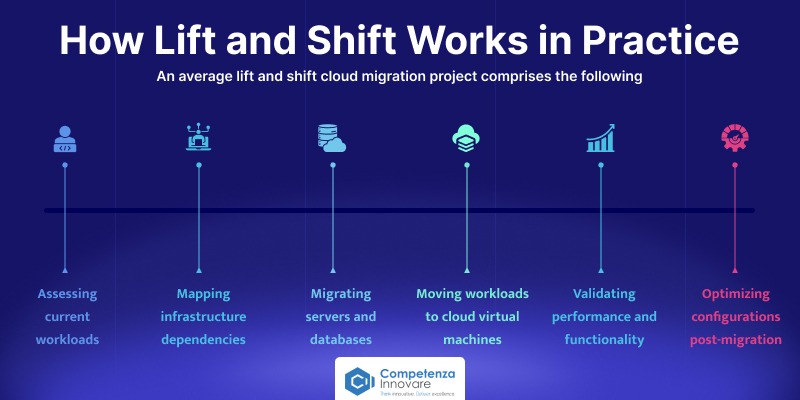
How Lift and Shift Works in Practice
An average lift and shift cloud migration project comprises the following:
- Assessing current workloads
- Mapping infrastructure dependencies
- Migrating servers and databases
- Moving workloads to cloud virtual machines
- Validating performance and functionality
- Optimizing configurations post-migration
Since the application architecture will not have many changes, the migration schedule will be much smaller than the modernization effort.
Lift and Shift Cloud Migration Cost: What to Expect ($40,000–$150,000 Range)
Lift and shift migration costs vary based on the complexities of the application, scale of the infrastructure, volumes of data, and migration equipment.
Typical project costs include:
| Application Type | Estimated Cost |
| Small Business Applications | $40,000–$75,000 |
| Mid-Sized Enterprise Applications | $75,000–$120,000 |
| Large Enterprise Workloads | $120,000–$150,000+ |
Also Read: Hidden Costs of Cloud Migration and How to Avoid Them
Benefits of Lift and Shift Migration
- Rapid Migration – Applications can be relocated to the cloud with little or no interference.
- Less cost of Development – Lower development up-costs are minimized.
- Reduced Business Risk – Minor customizations of the applications simplify the migrations.
- Rapid Payback – Companies will become cloud beneficiaries sooner.
- Deal with Legacy Applications – Allows businesses to exit the data centers with minimum redevelopment.
Disadvantages of Lift and Shift Migration
- Technical Debt Remains – Live constraints in an architecture are ported to the cloud.
- Little Cloud Optimization – Apps cannot be maximally capitalizing on cloud-native services.
- Greater Long-Term Costs – The inefficiencies of the resources can raise the costs on the clouds.
- Scalability Limitations – The old architecture can inhibit scalability.
- Less likely to innovate – mainly, advanced cloud services need to be modernized.
When to choose Lift and Shift migration
Business Scenarios
- Consolidation projects of data centers.
- Integrations in mergers and acquisitions.
- Quick migration necessary due to cloud-first initiatives.
- Companies pursuing rapid adoption of the cloud.
Technical Scenarios
- Low change requirements applications and are stable.
- Workloads coming to the end of life.
- Applications with minimal modernization needs
Budget Considerations
Organizations with a tight migration budget will tend to adopt lift and shift to minimize costs at the start.
Time-Sensitive Projects
Lift and Shift offers the quickest path to the cloud when migration timeframes are obstinate.
When Lift and Shift Is the Wrong Choice
Lift and shift could be inapplicable in the case:
- Applications require major performance improvements
- Significant scalability is needed
- Technical debt is becoming a business risk
- AI and advanced cloud services are strategic priorities
- Long-term cost optimization is a primary goal
What Is Re-architecting? (Refactoring Explained)
Definition: Redesigning Applications to Fully Leverage Cloud-Native Capabilities
Re-architecting or refactoring is the re-designing and reorganization of applications to fully leverage the cloud-native technologies and services. To gain improved scalability, resilience, performance, and maintainability, organizations do not merely offload workloads on the cloud but modernize applications.
The strategy reinforces the long-term modernization and innovation objectives.
How Re-architecting Differs from Rehosting and Replatforming
| Strategy | Description |
| Rehosting | Move applications without major changes |
| Replatforming | Make limited optimizations during migration |
| Re-architecting | Redesign applications for cloud-native operation |
Re-architecture is more laborious but has even more beneficial long-term impacts.
From Monolith to Microservices: The Most Common Re-architecture Pattern
Most organizations upgrade monolithic applications to provide microservices architectures.
Benefits include:
- Independent service deployment
- Improved scalability
- Greater fault isolation
- Faster development cycles
- Better integration capabilities
Microservices also support AI, self-driving, and cloud-native application development projects.
Re-architecting Cloud Migration Cost: What to Expect ($200,000–$600,000+)
During re-architecture projects, one is very careful with planning, creation, testing, and implementation. The fares will be presented in the following general way:
| Project Scope | Estimated Cost |
| Small Modernization Projects | $200,000–$300,000 |
| Mid-Sized Enterprise Applications | $300,000–$500,000 |
| Large Complex Enterprise Systems | $600,000+ |
Long-term savings usually cover the cost, although short-term investment is more expensive.
Benefits of Re-architecting Applications for Cloud
- Cloud-Native Scalability – The apps can dynamically grow in demand.
- Quick Response – Optimal architecture is associated with better user experience.
- Reduced Long-Term Costs – Profiled use of resources leads to less spending on infrastructure.
- Improved Security – The current security practices can be built into the architecture.
- AI and Automation Readiness – Applications can be surveilled using strong cloud applications and AI.
- Reduced Technical Debt – The obsolete constraints are addressed during modernization.
Disadvantages and Risks of Re-architecting
- Increased Starting Capital: The projects consume a lot of resources to develop.
- Extended Timeframes: The process of modernization can be months or years long.
- Increased Complexity: Architectural redress brings about additional technical issues.
- Change Management Requirements: The departments are to adapt to the new tools, processes, and workflows.
When Re-architecting Is the Right Choice
- Growth-Focused Organizations: Organizations that plan to grow quickly are well-served by the scalability and flexibility of the cloud.
- Modernization Initiatives Legacy Systems: It is a common scenario that organizations with high technical debt gain significant benefits through re-architecting.
- SaaS Product Development: Cloud-native applications give the SaaS platforms the necessary scale, performance, and reliability.
- Digital Transformation Projects: Re-architecting is often the most valuable to companies undergoing innovation, automation, the adoption of AI, and modernization.
In organizations with long-term growth and competitive advantage strategies, re-architecting has provided the best ROI for cloud migration even though the initial cost is higher.
Lift and Shift vs Re-architect: Head-to-Head Comparison TAble
There is also a need to consider short- and long-term business objectives when deciding between lift and shift and re-architecting. The table below underscores the important differences in key decision factors.
| Comparison Factor | Lift and Shift (Rehosting) | Re-architect (Cloud-Native Modernization) |
| Speed and Time to Migrate | Fastest migration approach. Applications can go to the cloud with few or no code changes, a process that can go on to cut migration schedules by months to weeks. | The processes need to be migrated slower to redesign, redevelop, test, and optimize the processes. |
| Upfront Cost vs Long-Term Cost | Less startup capital, but a possible increase in operating expenses during operation as a result of poor resource utilization. | Higher initial price compared to infrastructural and maintenance as well as long-term operational costs. |
| Cloud-Native Capability and AI Readiness | Poor utilization of cloud-native services, automation, and AI capability. The architecture of applications is maintained. | Natively tested on cloud-native technologies and AI integration, automation, microservices, containers and serverless computing. |
| Scalability and Performance | Provides basic scalability and might fall short of leveraging cloud scalability and performance optimization solutions. | Dynamic scaling, increased resilience, high performance, and optimization of resource utilization. |
| Security and Compliance Readiness | Extant security controls are also mostly retained, and this perhaps leaves legacy holes to be unaddressed. | Modern cloud security systems, zero-trust, and automated compliance controls can be used to redesign security. |
| Technical Debt Implications | The technical debt will be brought to the cloud, where it might lead to more modernization needs in the future. | Minimizes or eradicates the technical debt through the architecture, code, and infrastructure bits. |
| Short-Term ROI vs Long-Term ROI | Provides a higher ROI in a shorter time with expedited cloud adoption and cost reductions. | Produces greater ROI in the long term due to efficiency, innovation, scalability and maintenance lowering. |
| Risk Level and Business Continuity | Less business disruption, as there is low risk of migration and few changes in application. | More risk of implementation due to architectural changes, though with higher long-term stability and flexibility. |
Cost Comparison: Lift and Shift vs Re-architect cloud migration
One of the most crucial things in selecting a cloud migration strategy is cost. Purely because lift and shift tends to be cheaper and higher-speed to start and re-architecturing tends to be more profitable in the long term, business value is provided. Having an idea of what the total cost of ownership (TCO) is will assist an organization in making a better decision.
| Cost Factor | Lift and Shift (Rehosting) | Re-architect (Cloud-Native Modernization) | Better Option |
| Initial Migration Costs | Less initial investment as it starts needing minimal changes in code and is faster to deploy. | Increased initial expenses of redesign, development, testing, and modernization. | Lift and Shift |
| Infrastructure Costs | May lead to high cloud spending, as there is no optimization of apps to utilize cloud resources. | The optimum cloud architecture reduces resource wastage and maximizes profits. | Re-architect |
| Maintenance Costs | Maintenance is added by technical debt and systems that are old. | New architecture reduces the level of maintenance and upkeep costs. | Re-architect |
| Operational Costs | Requires more manual execution, monitoring, and administration. | Takes advantage of automation, DevOps, managed services, and cloud-native operations. | Re-architect |
| Scalability Costs | Scaling can be costly, as it may have to provision more resources. | The efficiency and cost control are enhanced through auto-scaling and cloud-native services. | Re-architect |
| Security & Compliance Costs | Any current security loopholes can demand more investments in the future. | Contemporary security systems and auto compliance lower maintenance costs in the future. | Re-architect |
| Technical Debt Impact | Technical debt is kept and might add to the costs of modernization in the future. | Modernization helps in alleviating or eradicating technical debt. | Re-architect |
| Short-Term ROI | Quicker ROI as a result of faster migration and reducing initial costs. | ROI would also take a long time, as there are higher implementation costs. | Lift and Shift |
| Long-Term ROI | Low optimization can decrease returns over the long run. | More long-term ROI will be generated via increased efficiency, innovation, and scale-up. | Re-architect |
| Long-Term Business Value | Favors fast adoption of clouds but has few benefits of transformation. | Facilitates innovation, cloud-native, AI readiness, and nimbleness. | Re-architect |
Performance and Scalability Comparison: Lift and Shift vs Re-architect
The most important aspects to consider when choosing a cloud migration strategy are performance and scalability. Where lift and shift enable quick use of the cloud, an intended purpose of re-architecture is to streamline performance, elasticity, and operational effectiveness on cloud-native.
| Comparison Factor | Lift and Shift (Rehosting) | Re-architect (Cloud-Native Modernization) | Better Option |
| Application Performance | Cloud infrastructure can lead to performance enhancements, although applications tend to have legacy bottlenecks and architectural constraints. | Current applications are redesigned to take advantage of cloud-native features, leading to a reduced response time, greater resilience, and workload optimization. | Re-architect |
| Resource Utilization | Often, resources are overprovided since they did not use application design to be cloud-efficient. This is possibly leading to an increase in cloud costs. | Streamlined architectures take advantage of containers, serverless computing, auto-scaling, and managed services | Re-architect |
| Scalability Potential | Basic scalability, with the addition of cloud resources, but it can still not scale as high as the architecture of the legacy may be constrained. | created to enable elastic scaling with microservice applications, databases created to operate on the cloud, and distributed architecture that can easily scale to high rates. | Re-architect |
| User Experience Impact | This could translate to average upward changes on the availability and speed of users, but there are still possibilities that the application shares performance issues. | Offers improved user experiences and has faster reactivity and shorter latency, enhanced uptime, and faster feature development. | Re-architect |
| Peak Traffic Handling | Can load greater traffic but will slow down when there is a burst in demand. | It is configured to achieve auto-scaling of resources when the load peaks to create a performance consistency in times of heavy load. | Re-architect |
| Global Performance Optimization | Little ability to leverage advanced cloud capabilities such as edge computing and optimization of content delivery. | Can combine global load balancing, CDNs, edge computing, and multi-region deployments to facilitate the best performance worldwide. | Re-architect |
| Cloud-Native Feature Utilization | Limited deployment of cloud-native services other than infrastructure hosting. | Takes advantage of managed databases, Kubernetes, serverless functions, AI services, and cloud automation tools. | Re-architect |
| Future Growth Readiness | Available to support unchanging workloads in the predictable demand but might need to be modernized in the future. | Innovation initiatives have been designed to serve the purpose of long-term business expansion, as well as the innovative needs of customers. | Re-architect |
Security Considerations For Cloud Migration
The issue of security must remain relevant in any cloud migration strategy, even if you are doing lift and shift or re-architecting. Although both methods involving migration may enhance infrastructure security, they pose varied threats and opportunities against which organizations need to work during migration.
Security in Lift and Shift Environments
Lift and shift migration is one in which there are only slight modifications made to the applications transferred to the cloud. It is fast and can and can migrate existing safety issues, outdated security systems and technical debt to the cloud.
Common Risks:
- Legacy security gaps
- Excessive user permissions
- Poor cloud configurations
- Limited use of cloud-native security features
Security Advantages of Cloud-Native Architectures
Re-architecting enables organizations to natively design security both in application design and infrastructure. Cloud-native architectures endorse recent security providers like zero-trust access, encryption, automated checks, and microservices isolation.
Key Benefits:
- Stronger access controls
- Automated threat detection
- Improved security monitoring
- Reduced attack surface
- Better long-term security posture
Compliance and Regulatory Requirements
Companies within regulated industries should realize that cloud environments need to comply with the requirements of migration prior to migration.
Key Considerations:
- Data privacy regulations
- Encryption requirements
- Audit logging and reporting
- Data residency policies
- Access management controls
HIPAA and GDPR Compliance During Cloud Migration
Medical facilities are required to adhere to HIPAA, whereas companies working with EU citizens are obliged to adhere to GDPR regulations.
| Compliance Standard | Key Requirements |
| HIPAA | PHI protection, encryption, audit logs, access controls |
| GDPR | Data privacy, consent management, breach notifications, data residency |
A compliance plan must be part of the migration process at the very beginning.
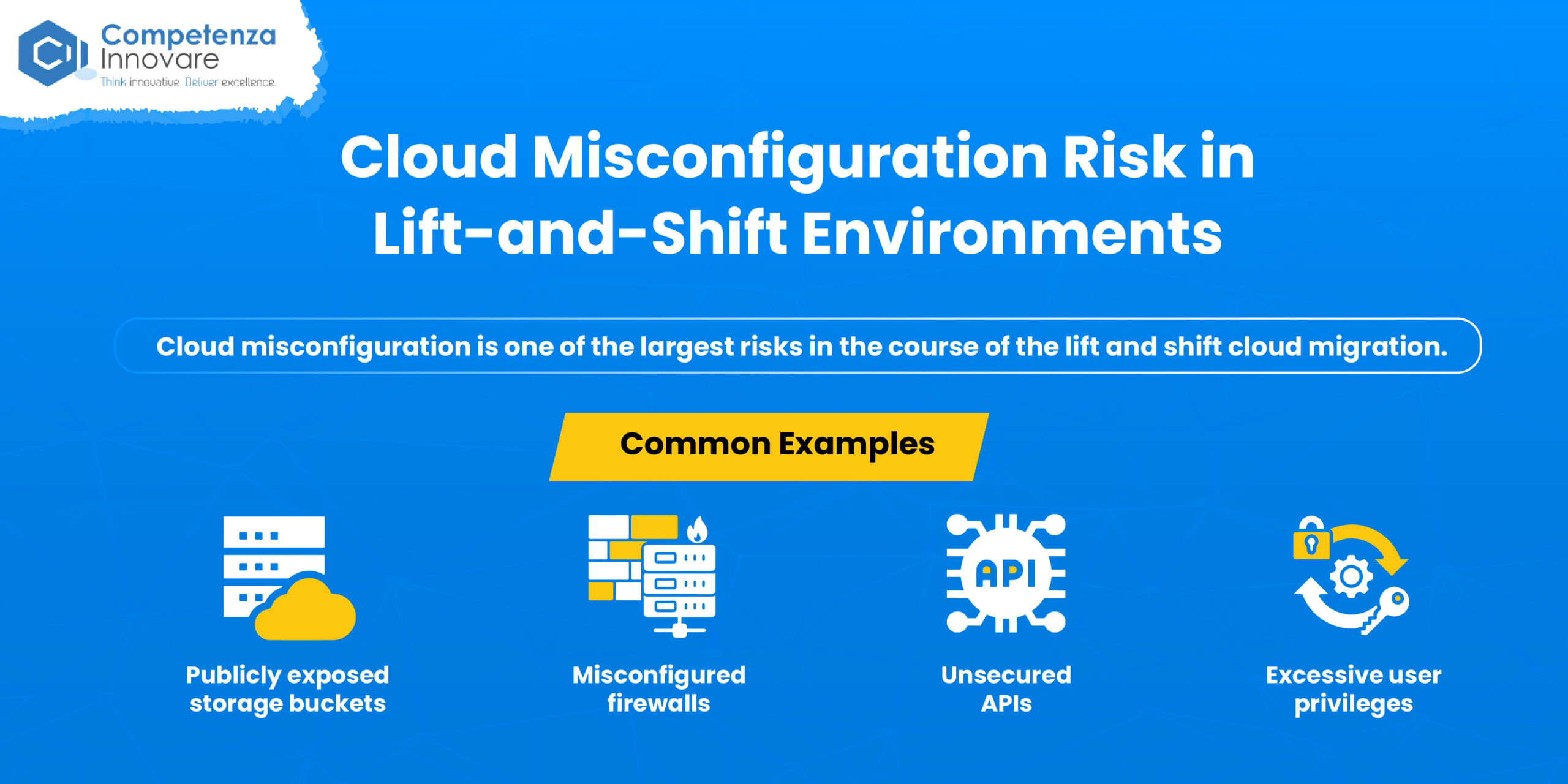
Cloud Misconfiguration Risk in Lift-and-Shift Environments
Cloud misconfiguration is one of the largest risks in the course of the lift and shift cloud migration. Quick migrations can cause storage that is not configured correctly, networks, or access controls.
Common Examples:
- Publicly exposed storage buckets
- Misconfigured firewalls
- Unsecured APIs
- Excessive user privileges
These risks can be minimized by conducting regular security audits and automated monitoring.
DevSecOps: Building Security into the Re-architecture from Day One
One of the benefits of re-architecting is the fact that it opens the potential to embrace a DevSecOps approach, wherein security is considered at all levels of development and deployment.
Benefits of DevSecOps:
- Automated security testing
- Continuous compliance monitoring
- Faster vulnerability detection
- Secure CI/CD pipelines
- Improved collaboration between development and security teams
Lift and shift is a quicker way of adopting the cloud but can bring current security vulnerabilities with it to the cloud. Re-architecting presents an opportunity to embrace modern security practices, DevSecOps practices and cloud-native security. leading to a more robust long-term security and compliance posture.
AWS, Azure, and Google Cloud Migration Perspectives
In the case of lift and shift migration, AWS and Azure tend to be the most powerful options. In re-architecting and cloud-native application development, AWS and GCP tend to have the most sophisticated features, whereas Azure is most suitable for those organizations that have a strong investment in Microsoft technologies.
Lift and Shift Cloud Migration Across AWS, Azure, and GCP
| Cloud Provider | Migration Tools | Key Strengths | Best For |
| AWS AWS Lift and Shift migration strategy | AWS Application Migration Service, Migration Hub, DMS | Mature migration ecosystem, extensive automation, global infrastructure | Enterprise cloud adoption, legacy application migration, data center exits |
| Azure | Azure Migrate, Azure Site Recovery, Database Migration Service | Seamless Microsoft integration, hybrid cloud support, Windows workload optimization | Windows Server, SQL Server, .NET applications, hybrid cloud environments |
| Google Cloud (GCP) | Migrate to Virtual Machines, Database Migration Service, VMware Engine | Cost-effective infrastructure, strong networking, analytics integration | VMware migrations, infrastructure modernization, analytics-driven organizations |
Re-architecting Cloud Migration Across AWS, Azure, and GCP
| Cloud Provider | Modernization Services | Key Strengths | Best For |
| AWS Re-architecting migration strategy | EKS, Lambda, ECS, DynamoDB, Aurora | Mature cloud-native ecosystem, microservices, serverless computing, AI services | SaaS platforms, enterprise modernization, digital transformation |
| Azure | AKS, Azure Functions, Cosmos DB, Azure DevOps | Enterprise modernization, Microsoft ecosystem integration, hybrid cloud flexibility | .NET modernization, regulated industries, enterprise applications |
| Google Cloud (GCP) | GKE, Cloud Run, Vertex AI, BigQuery, Cloud Spanner | Kubernetes leadership, AI/ML innovation, data analytics excellence | AI applications, data-intensive workloads, cloud-native development |
Quick Recommendation Table for Your Cloud Migration Strategy
| Business Goal | Recommended Platform |
| Fastest Lift and Shift Migration | AWS |
| Microsoft-Centric Infrastructure | Azure |
| Cloud-Native Application Development | AWS or GCP |
| AI & Machine Learning Projects | GCP |
| Enterprise Digital Transformation | AWS or Azure |
| Kubernetes & Microservices Modernization | GCP or AWS |
| Hybrid Cloud Strategy | Azure |
| Legacy Application Migration | AWS |
How to Choose the Right Cloud Migration Strategy: A Per-Workload Framework
To choose an appropriate cloud migration strategy, a balance needs to be struck in the form of business objectives, technical needs, budget, and long-term development plans. These are seven of the major considerations to make when determining between lift and shift, re-architecting, and a hybrid.
Ready to choose the right cloud migration strategy? Talk to our experts today.
Questions Business Leaders Should Ask
Business executives must be interested in the role of cloud migration in achieving organizational growth, efficiency, and competitive edge. Suppose the following questions:
| Questions | Answers |
| What are our main business objectives of cloud migration? | Define whether the goal is to reduce costs, achieve business agility, scalability, or innovation; gain better customer experiences; or achieve digital transformation. |
| What is the speed of our migration? | Where speed is a requirement by virtue of data center exits, mergers, acquisitions, or market requirements, Lift and Shift is an option. In case long-term optimization is in focus, re-architecting can be justified by the extra time cost. |
| What budget is there in migration and modernization? | “Lift and shift” is usually the beginning of organizations with small budgets. Re-architecting may be more helpful to businesses that are ready to invest in the innovation that will be long-term. |
| How much disruption in the business will we withstand? | Migration projects ought to be in line with the operational needs. To choose a strategy, it is necessary to know what kind of downtimes and transition risks are acceptable. |
| Why does it matter that it is long-term scalable and innovative? | Cloud-native architecture and new versions of applications can be of increased value to companies intending to grow fast, expand globally, or innovate with digital products. |
| What are the compliance and regulatory requirements required? | There may be work in place controls in terms of extra security, governance, or compliance controls in other sectors, such as the healthcare industry, the financial industry, and the government, that may influence migration choices. |
| What is the expected return on investment (ROI)? | Take into consideration both the immediate and long-term benefits, including savings in the operations, greater productivity, shorter deployment times, and longer customer experiences. |
Questions IT Teams Should Ask
Business executives are increasingly solution-oriented, and the IT teams should consider the technical opportunities and complexity of migration options.
| Questions | Answers |
| How complicated is the existing application architecture? | Applications that are dependent on many other applications that have a legacy framework or are tightly coupled systems might have to be modernized before they can take full advantage of a cloud environment. |
| Does it have a cloud? | Determine whether the workloads can operate in the cloud without any severe alterations or not or if an architectural redesign is needed. |
| What are the performance requirements of the application? | Re-architecting applications that require high availability, low latency, dynamic scaling, and so on to use cloud-native services can be helpful. |
| How about some of the security threats in the current environment? | Review access controls, vulnerabilities, protection of data needs, and compliance needs and determine what type of migration strategy to apply. |
| Does the app have the capacity to grow to the business needs of the future? | Take into account projected increases in the number of users, transactions, and workloads to conclude whether existing architectures will be able to accommodate future needs. |
| What is the cost of the operations and maintenance? | Evaluate costs of infrastructure, any licensing costs, support needs, and use of resources so as to know the long-term consequences of each strategy. |
| Do we have the skills and resources needed? | Recurring architecturing has been an area of cloud-native development, microservices, DevOps, automation, and current application design. Determine the capability of internal teams. |
Hybrid Cloud Migration Approach: Combining Lift and Shift with Re-architecting
Most organizations do not have to make the lift-and-shift or re-architecting choice, but they do neither. A hybrid cloud migration approach enables businesses to swiftly shift applications to the cloud while moving step-by-step towards modernizing the vital workloads to access cloud-native functions. This method balances a rate of migration, cost-effectiveness, and long-term innovation.
Why Many Enterprises Choose a Hybrid Strategy
A hybrid approach in The competenza allows organizations to get all the benefits of clouds without delaying migration to large-scale projects on modernization. Lift and Shift can be used by businesses to move the stable applications and re-architect the customer-facing or mission-critical applications that have to be more scalable, performant, and flexible.
Key Benefits:
- Faster cloud adoption
- Lower migration risk
- Better cost control
- Reduced business disruption
- Long-term modernization opportunities
Conclusion
Lift and Shift vs Re-architect: Final Verdict
Lift and shift can be quite the appropriate choice for organizations that require moving to the cloud quickly and with minimum discontinuity. Nonetheless, re-architecting might help businesses that are concerned about long-term innovation, scalability, and cloud optimization to have more value. The hybrid strategy in most situations yields the most effective outcomes, as the companies can swiftly transfer some of their workloads and upgrade mission-critical applications as time passes.
Key Takeaway
- Select lift and shift when your main objectives include speedy cloud adoption, reduced initial expenses, and minimal business impact.
- Select re-architect when your organization is digital transformation-driven, cloud-native innovation, AI-readiness, and better scalability are prioritized, as well as long-term business value maximization.
- Select a hybrid solution when you wish to have the best of both worlds you need to migrate quickly using lift and Shift with stable workloads but you need to re-architecture mission-critical applications which need to be modernized and capable of scaling in future. This is the approach that most enterprises would use to create a balance between speed, cost, and innovation.
Frequently Asked Questions
What is the difference between lift and shift and re-architecting?
Lift and shift (rehosting) means the applications that are migrated to the cloud data with little or no code adjustments. Re-architecture (refactoring) is the redesigning of applications to take full advantage of cloud-native services, microservices, automation, and modern cloud architectures. Lift and shift is more concerned with speed and reduced initial investment, whereas re-architecting is more concerned with scale, performance, and innovation on a long-term basis.
When does an organization need to use lift-and-shift migration?
Lift and shift is best applied where companies require migrating fast, cutting down costs of data centers, or transitioning legacy applications to the cloud that do not require re-development. It is frequently the method of preference in time-sensitive projects and cost-conscious businesses and workloads that need not incur substantial modernization.
What is the better time to re-architect the approach to move everything to the cloud?
Re-architecting is more appropriate where organizations require a better ability to scale out and be cloud-native and have better performance, as well as be AI-ready or have better cost optimization in the long term. This comes in handy especially with SaaS and customer-facing apps, as well as digital transformation projects.
What is the cost of lift-and-shift cloud migration as compared to re-architecting?
Depending on the application complexity and size of infrastructure, the lift and shift migration cost is between $40,000 and $150,000. It is estimated that it would cost between 200,000 and 600,000 or more because re-architecting would involve redesigning, creating, testing, and optimizing applications to operate in a cloud-native environment.
What cloud migration approach will probably deliver them higher ROI?
Lift-and-shift payback or ROI is often shorter-term by nature, owing to the reduced cost of entry of the technology and the reduced timescales of migrations. The long-term ROI of re-architecting is much higher since resources become more utilized, technical debt is reduced, it is more extensible, and it makes innovation possible with cloud-native technology.
Is it possible to have lift and shift and re-architecting in organizations?
Yes. A hybrid cloud migration is a popular approach to cloud migration in many enterprises. They use lift and shift for workloads in a stable or low-priority to achieve higher velocity when it comes to cloud adoption and re-architecture mission-critical applications that must be modernized and can scale and be cloud-native. This approach is balanced both in terms of cost and speed and in business value in the long term.
What are the greatest risks during transition to clouds?
Examples of common risks in cloud migration are security weaknesses, cloud misconfigurations, unforeseen expenses, downtimes in applications, compliance, and performance. A cloud readiness check, good governance practices, and the right choice of a migration strategy could alleviate such risks and enhance the succe